Where is the power actually going?
Real watts flowing into or out of the battery, in real time, not a unitless score. Pro finds the apps doing the most work and keeps their history.
Know whether the Mac is charging, holding, or draining.
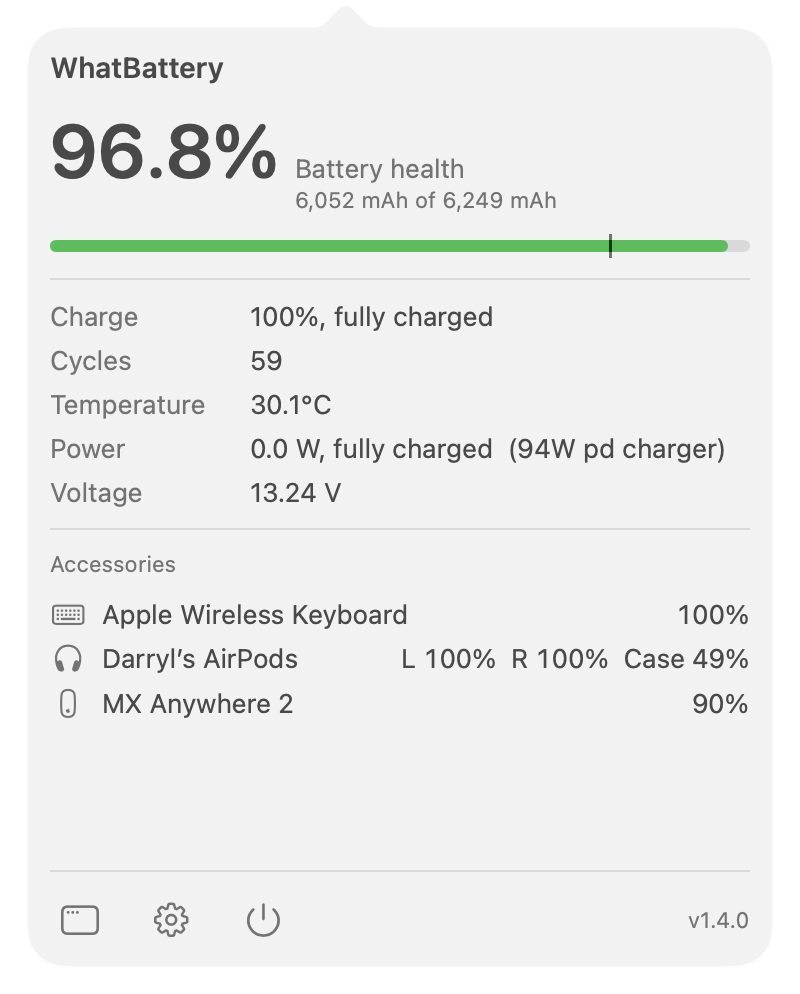
The free app reads the live battery power rail every five seconds. Alongside watts, it shows temperature, voltage, charge state, and the charger your Mac negotiated.
This is the useful layer between “the battery icon changed” and a full engineering trace.
- Live charge and discharge watts
- Negotiated charger wattage
- Battery voltage and temperature
- Menu bar and full-window views
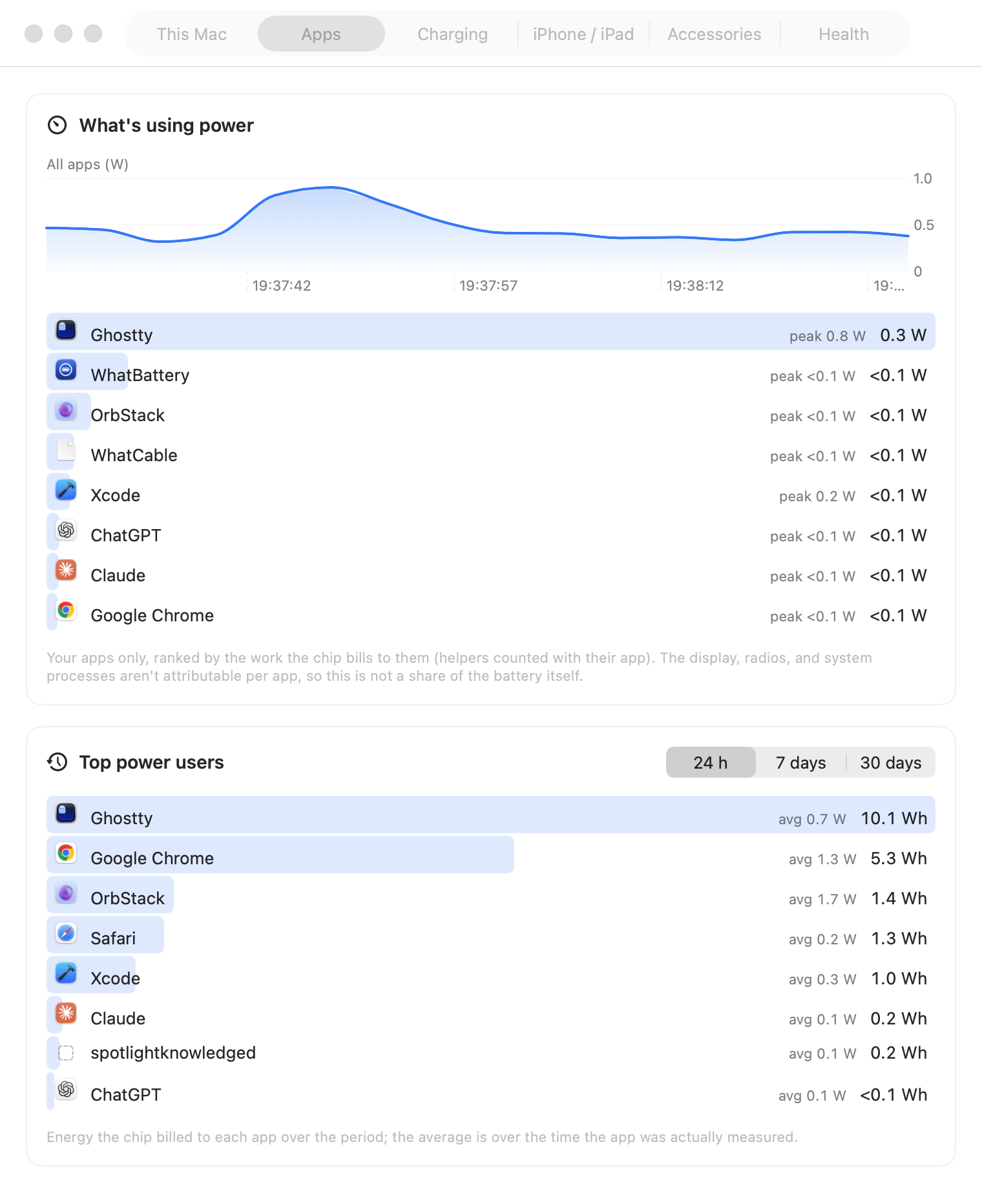
Name the hungry apps, honestly. Pro
WhatBattery reads the cumulative energy macOS bills to your own processes, measures the change, and turns it into live watts. It also records the top users over the day, week, or month.
The display, radios, and system processes are not attributable to one app. WhatBattery leaves that remainder alone rather than scaling app figures until they add up to the battery drain.
- Apps ranked by live watts
- Top power users over time
- Clear limits instead of invented percentages
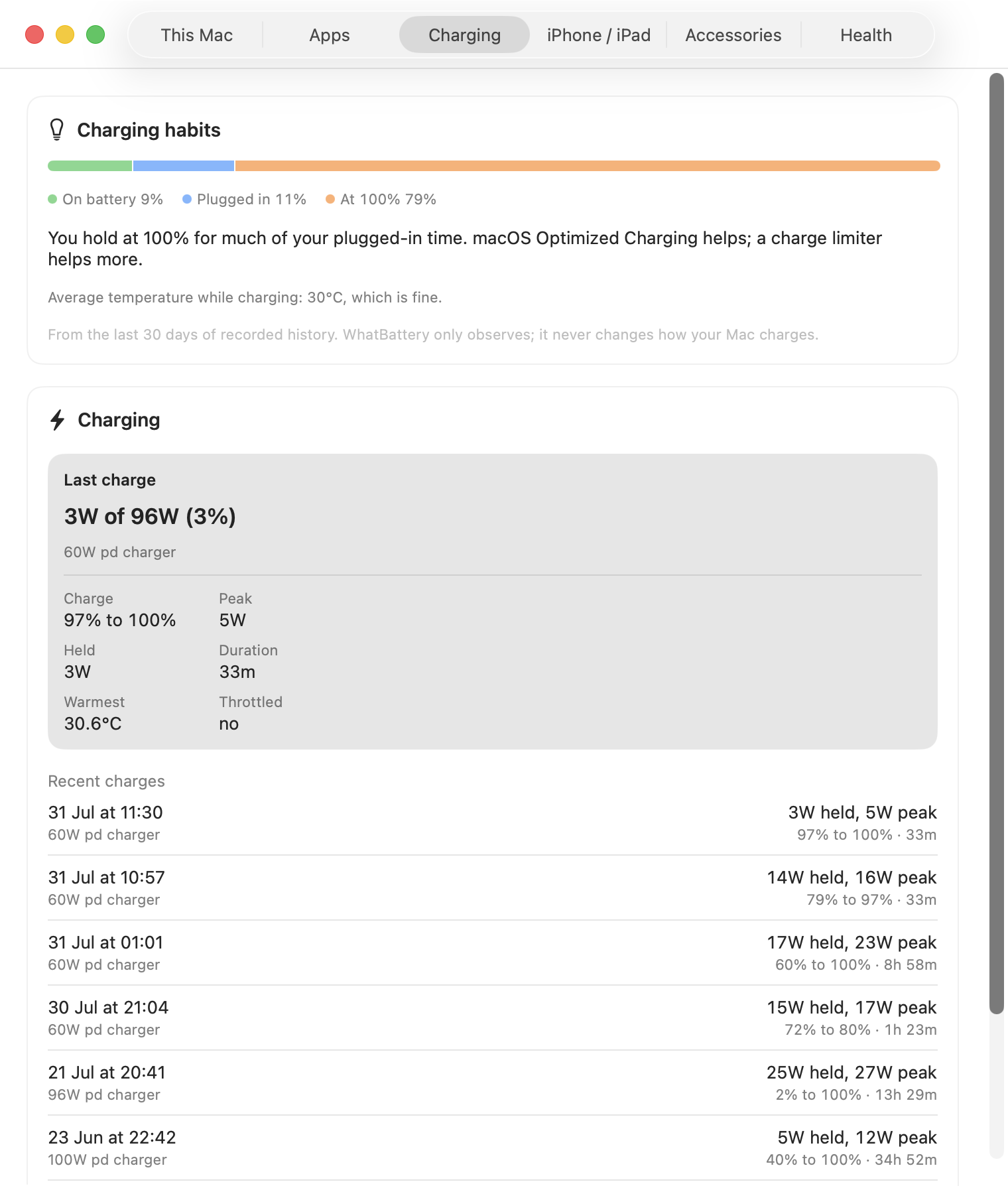
See how every charger performs. Pro
Every charging session records how fast it ran, how warm the battery became, and what the charger advertised. On supported 14-inch and 16-inch MacBook Pro models, a verdict such as “58W of 96W” also shows whether the charger is clearly undersized for the Mac.
A good charger is not blamed for an overnight trickle: the verdict uses the charger's own claim, not a single momentary draw.
See where the watts are going.
Live battery power is free. App history and charger analysis are included in Pro.