Forecast the replacement
Measure wear rate, project the window in which a Mac may reach 80% health, and catch a battery that starts ageing faster than its own trend. No projection at all until the history can support one.
Explore battery runway →Explore overnight drain, app power and charging sessions. Keep a battery health record and export the evidence when you need it. £9.99 once, for up to two Macs.
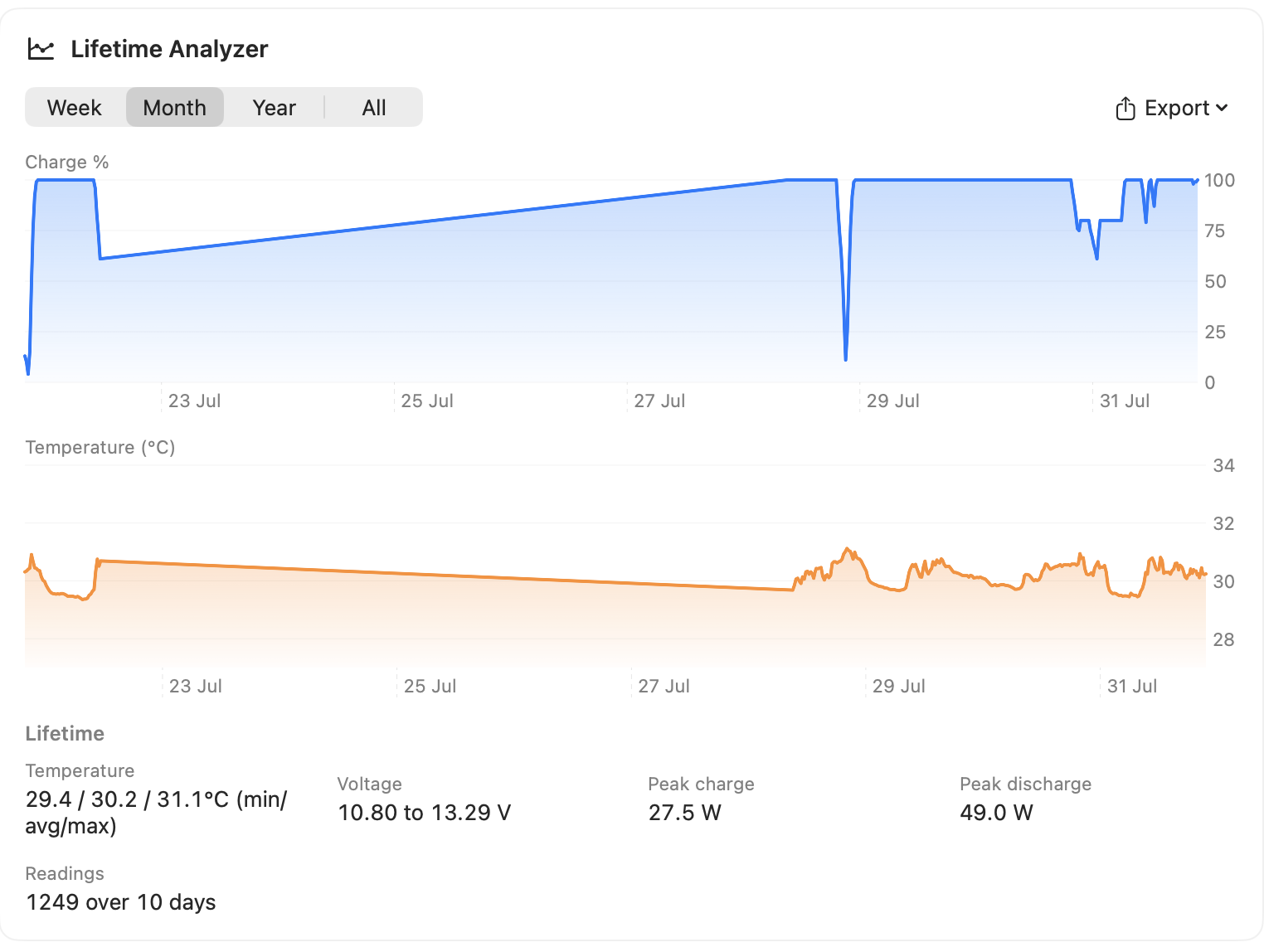
A single health figure has no direction. Pro keeps the long-term record needed to show whether wear is gradual, accelerating, or approaching the point where a replacement deserves planning, and it doesn't start from nothing: the pack's own lifetime extremes and the gauge's last recalibration go back to before you installed the app.
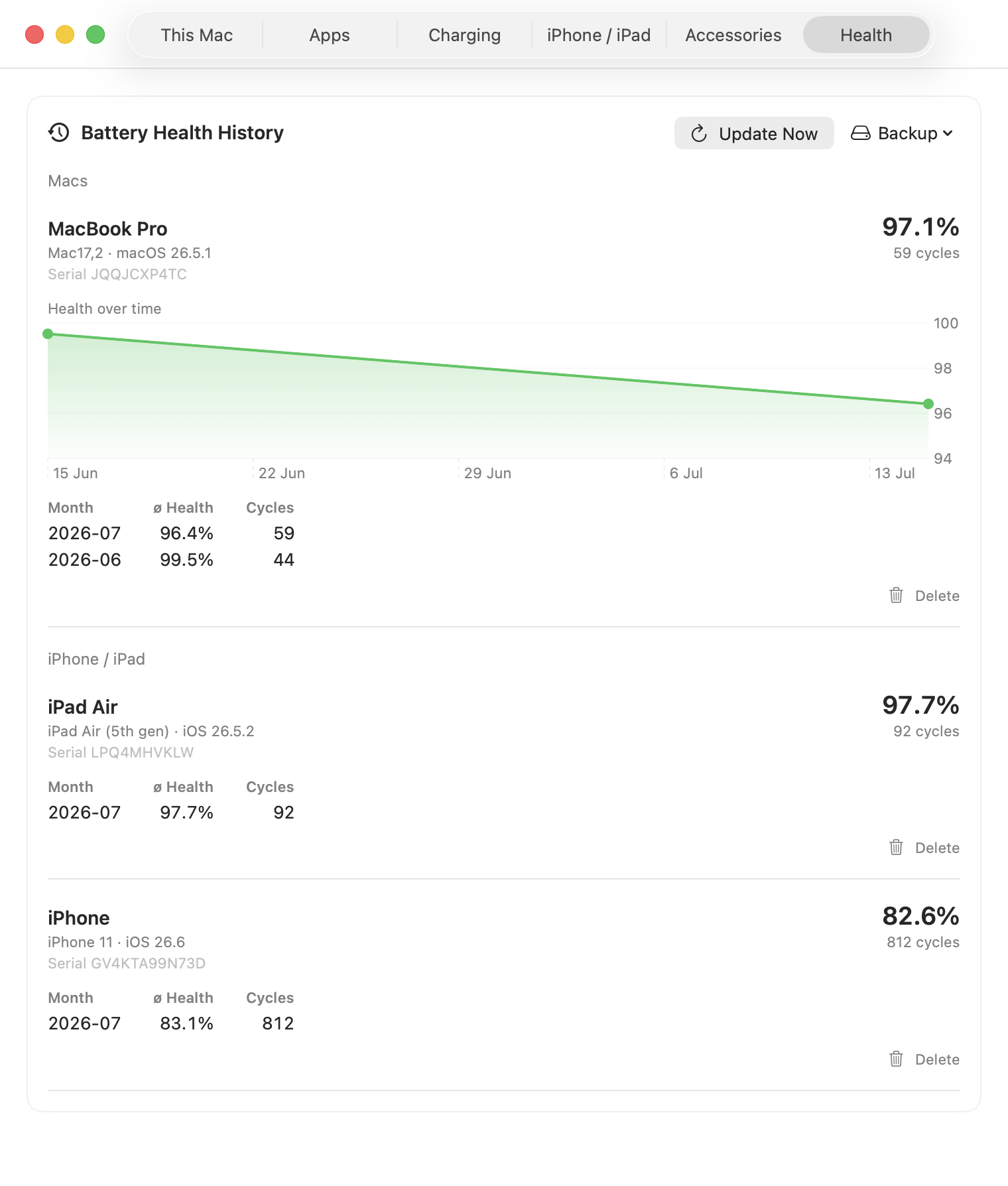
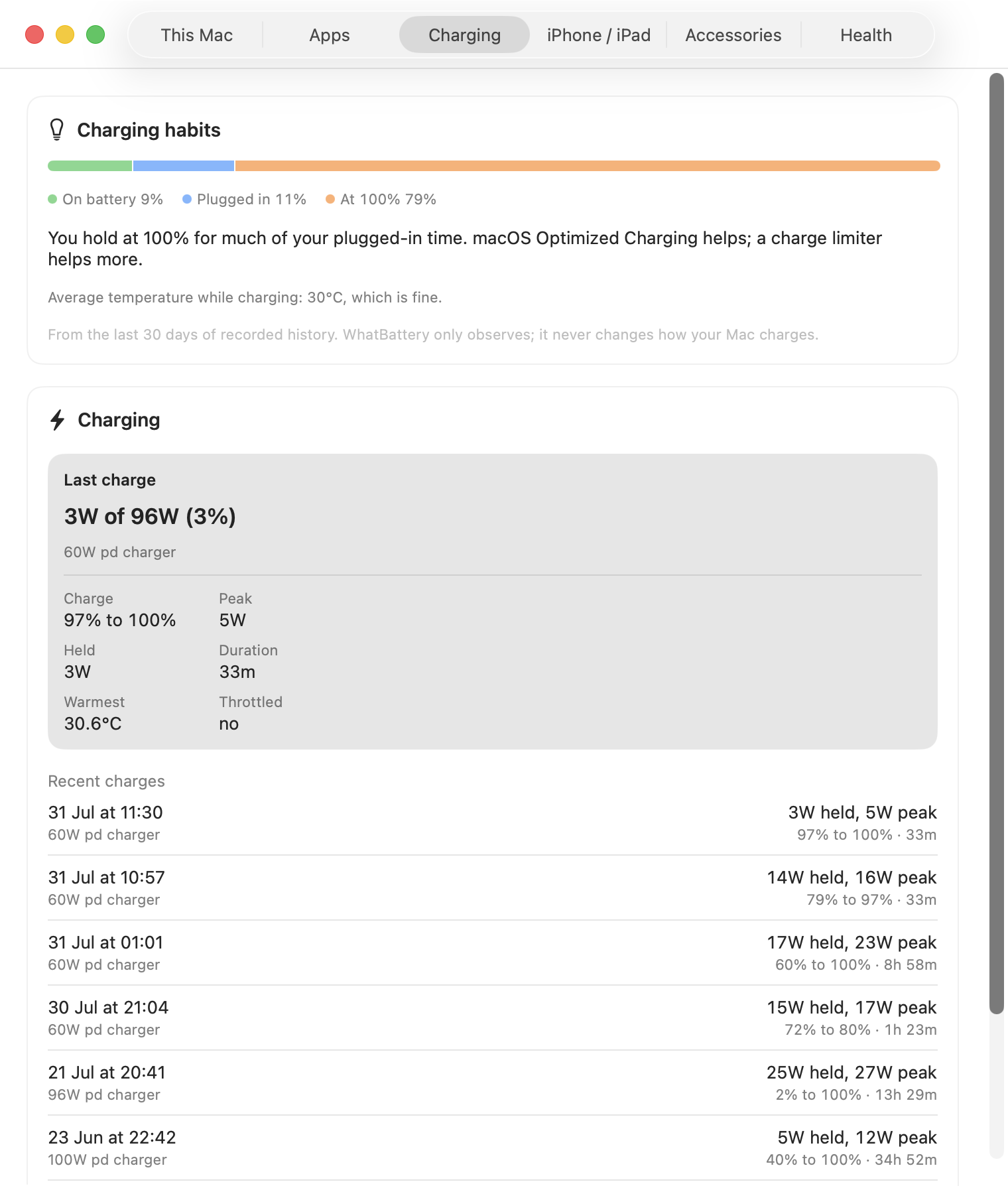
Apps are ranked in real watts rather than a unitless energy score. Charging sessions preserve the delivered power, heat, and charger capability, so the diagnosis does not disappear as soon as you unplug. The Sleep tab covers the hours you weren't watching: charge lost overnight, wake reasons, and what's holding the Mac awake right now, honestly, including when a reading can't be trusted.
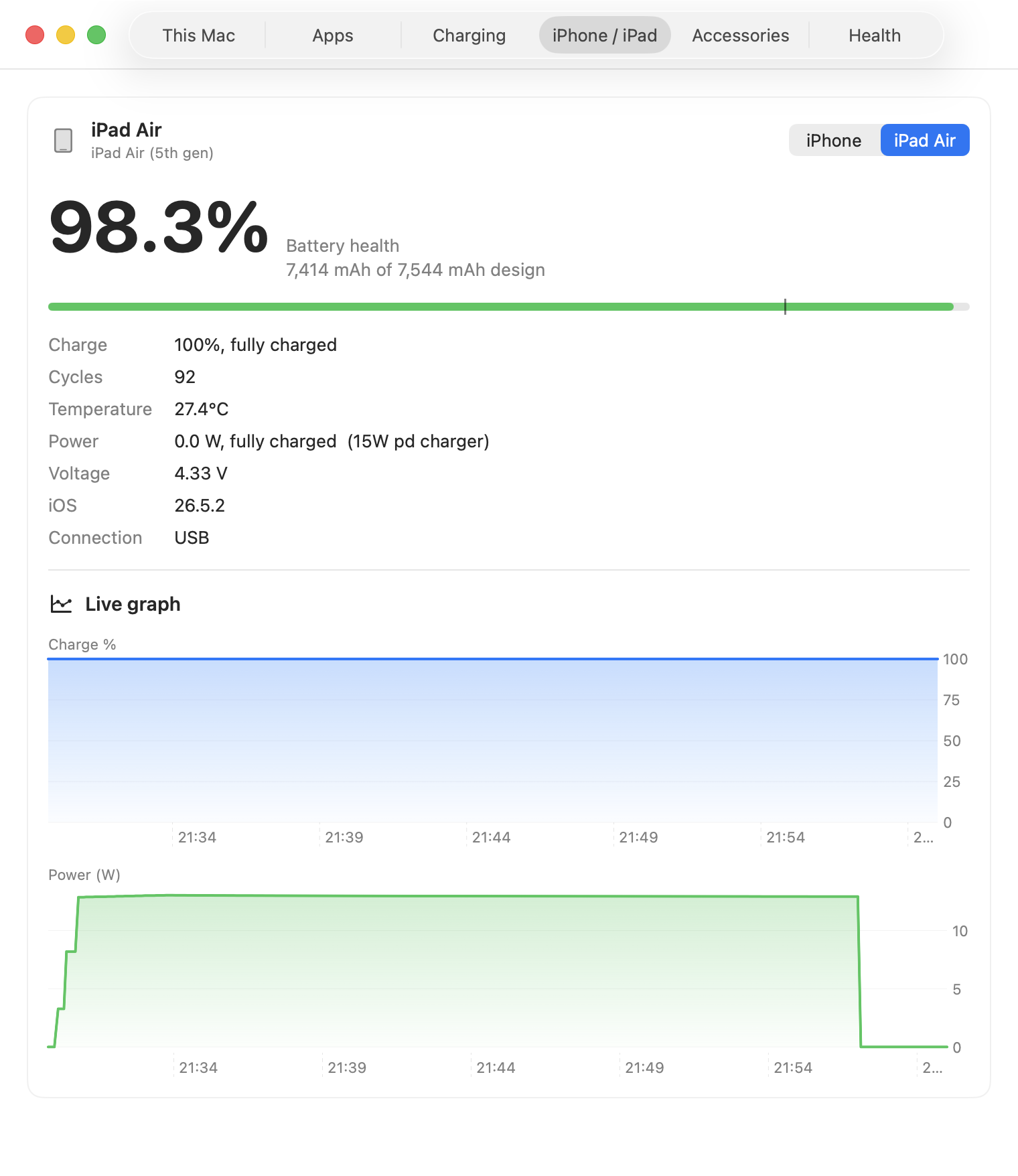
Read connected-device health over USB or Wi-Fi without installing another app. Pro retains sparse, long-term health and cycle history so the devices do not vanish from view when they disconnect.
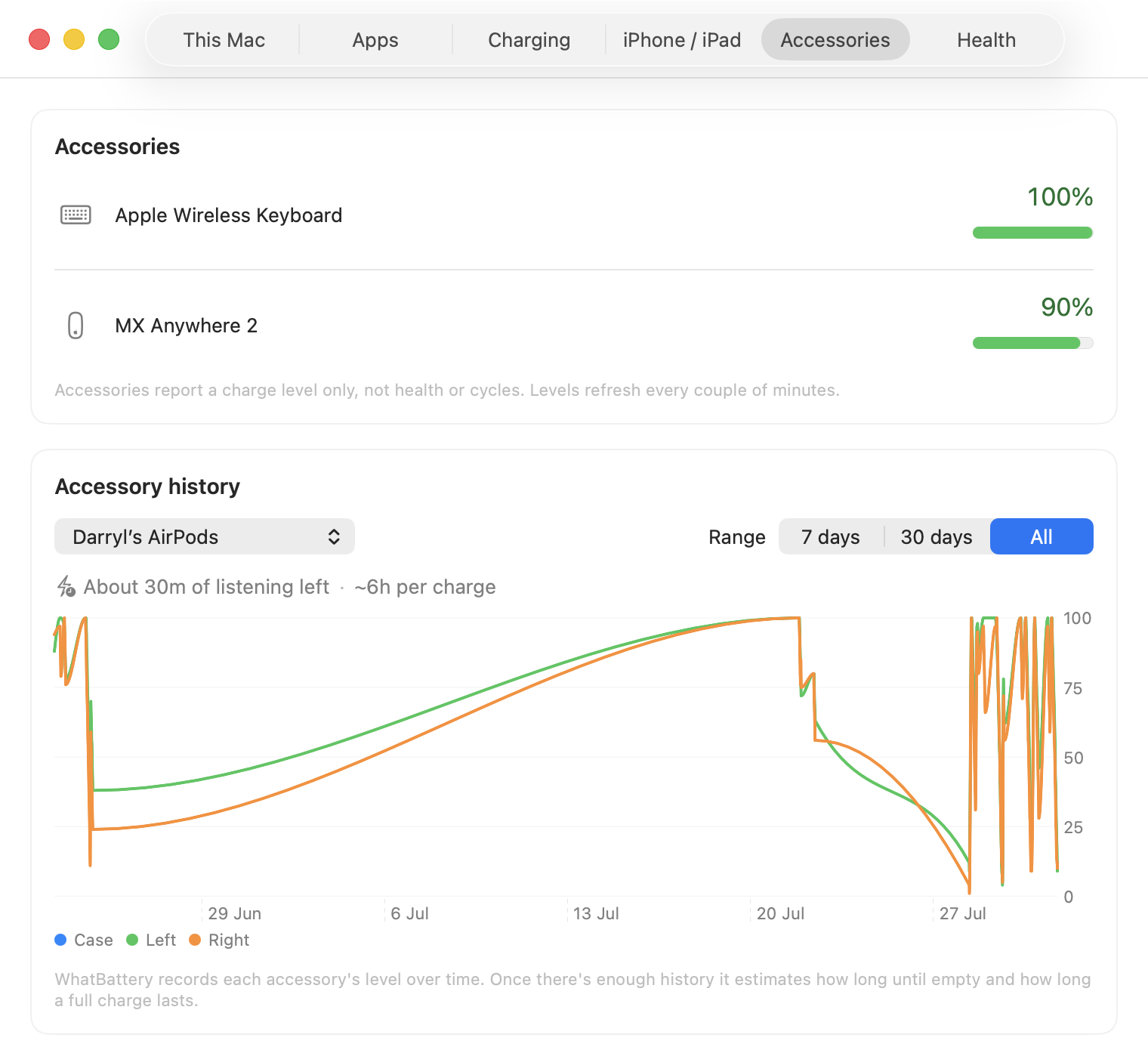
A Bluetooth accessory reports a charge level and nothing else: no health, no cycles, no warning. Pro records that level over time and turns it into a forecast, so a dead mouse in the middle of something is a thing you saw coming.
Pro groups the deeper features around the decisions they help you make.
Measure wear rate, project the window in which a Mac may reach 80% health, and catch a battery that starts ageing faster than its own trend. No projection at all until the history can support one.
Explore battery runway →Rank your apps by live watts, keep the top users over time, and record how every charge performs. Supported MacBook Pro models also identify chargers that are clearly undersized.
Explore power analysis →See exactly what happened during the last sleep: charge lost, wake count, wake reasons in plain English, and what's holding the Mac awake right now. Says so honestly when a reading can't be trusted.
Explore sleep diagnosis →Read iPhone and iPad batteries from the Mac, then keep monthly health and cycle history beside the Mac's own record.
Explore connected devices →Create a one-page PDF or print report, export the underlying samples as CSV or JSON, and back up long-term health history.
Explore reports and export →Watch every Bluetooth accessory's level over time, see how long is left (days for a mouse, listening time for AirPods), and get the warning before it dies, not after.
Explore accessory forecasts →One key unlocks Pro on up to two Macs. Paste it into Settings on each Mac and keep using the same key after updates.
Stripe completes the payment and the licence key is emailed immediately. Paste it into WhatBattery's Licence settings.
Contact support through the GitHub repository and a licence slot can be freed for the replacement.
Purchases have a 14-day money-back guarantee, no questions asked.
Unlock WhatBattery Pro once on up to two Macs.