Everything you need to write about WhatBattery.
Boilerplate, screenshots, and the parts worth knowing, including what the app deliberately will not tell you. Questions and Pro review keys: [email protected].
In one line
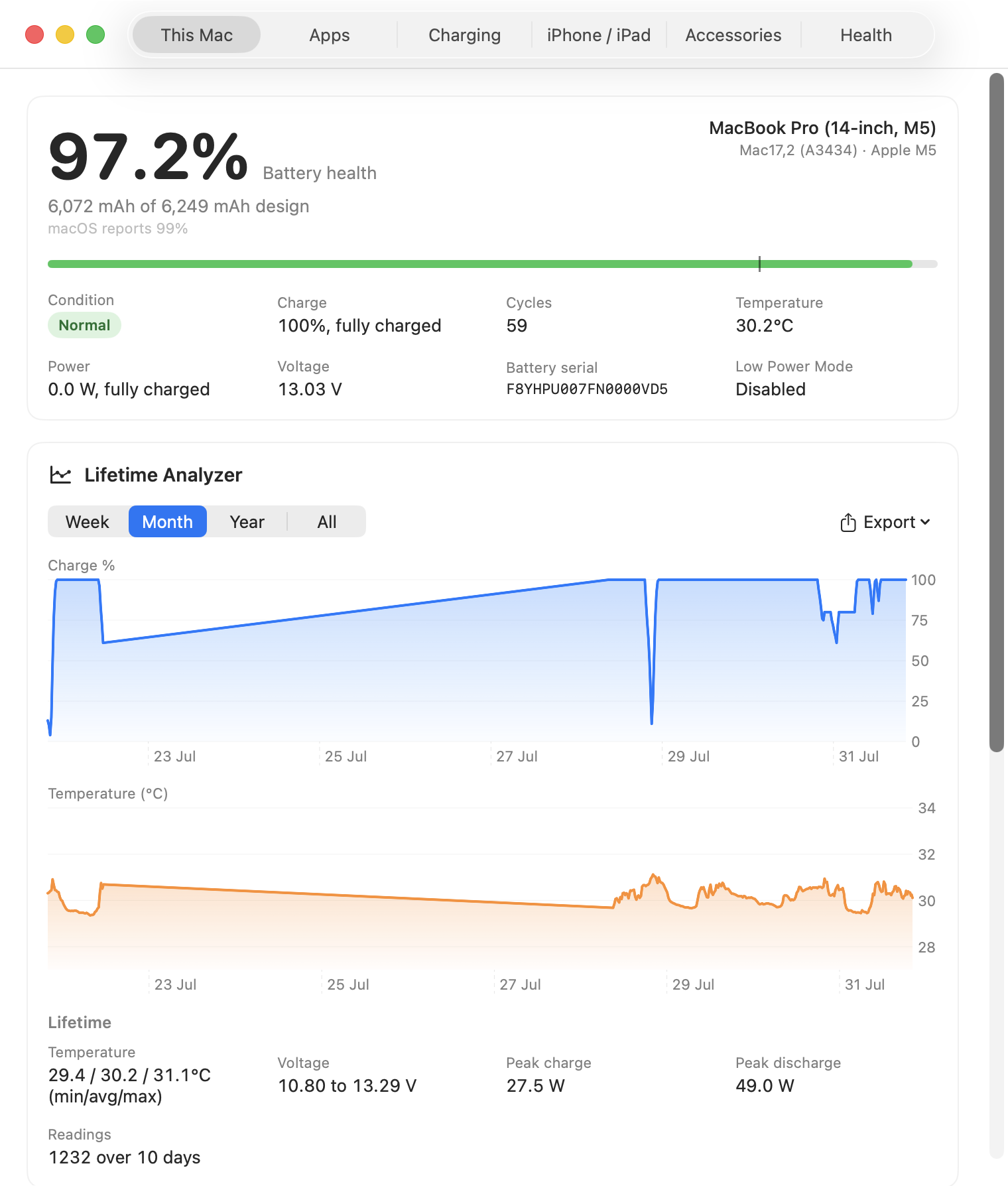
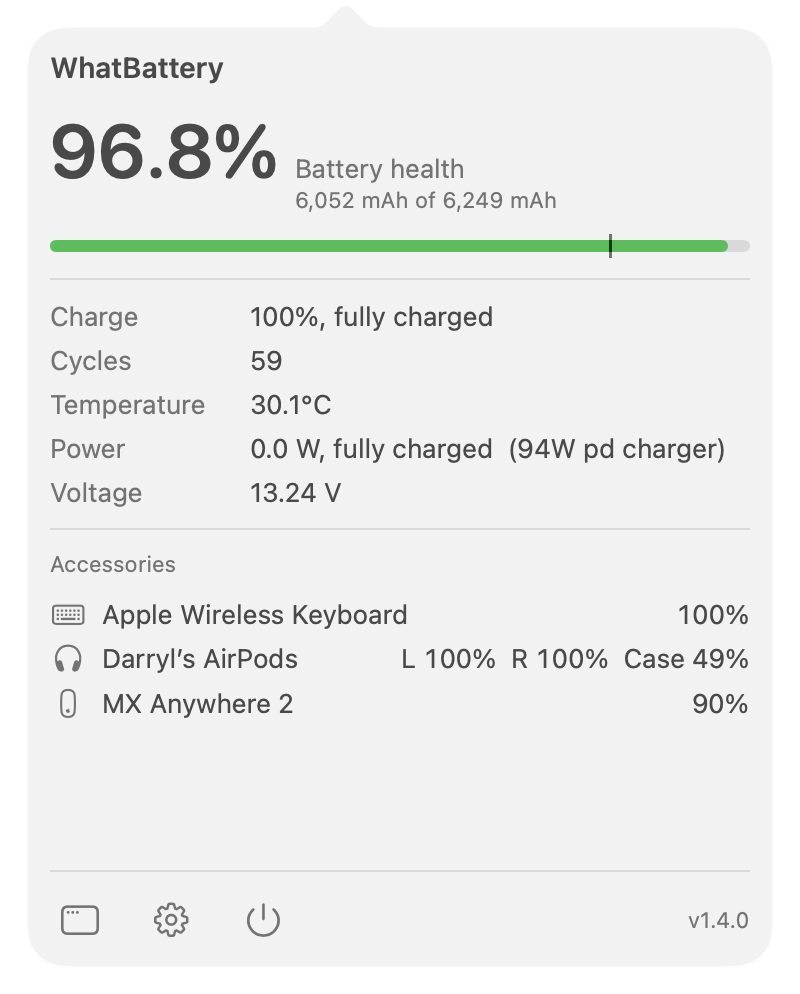
WhatBattery is a macOS menu bar app that shows what your Mac, iPhone, iPad and Bluetooth accessories' batteries are actually doing: unrounded health, live power draw in watts, per-cell detail, and a forecast of when a battery is likely to need replacing. Read-only, Apple Silicon, macOS 14 or later. Free, with an optional £9.99 one-time Pro tier covering two Macs.
About the app
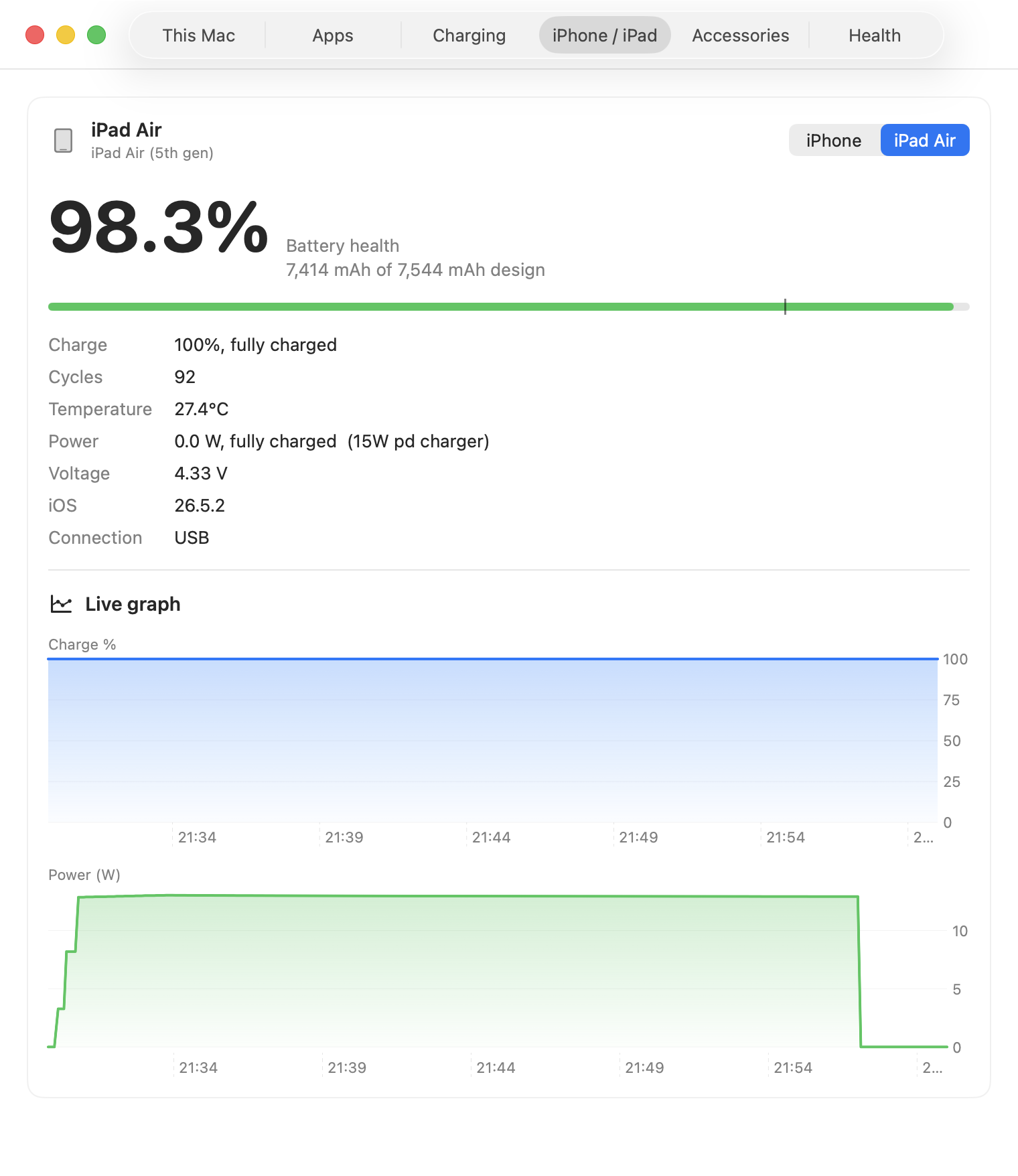
macOS tells you a rounded percentage and a one-word condition. WhatBattery reads the same battery and power interfaces Apple exposes through IOKit and the SMC, and reports what they actually say: capacity against design capacity unrounded, cycle count, live watts in and out, temperature, voltage, and the charger's negotiated wattage. It reads a tethered iPhone or iPad's battery from the Mac over the same connection Finder uses, with nothing installed on the device.
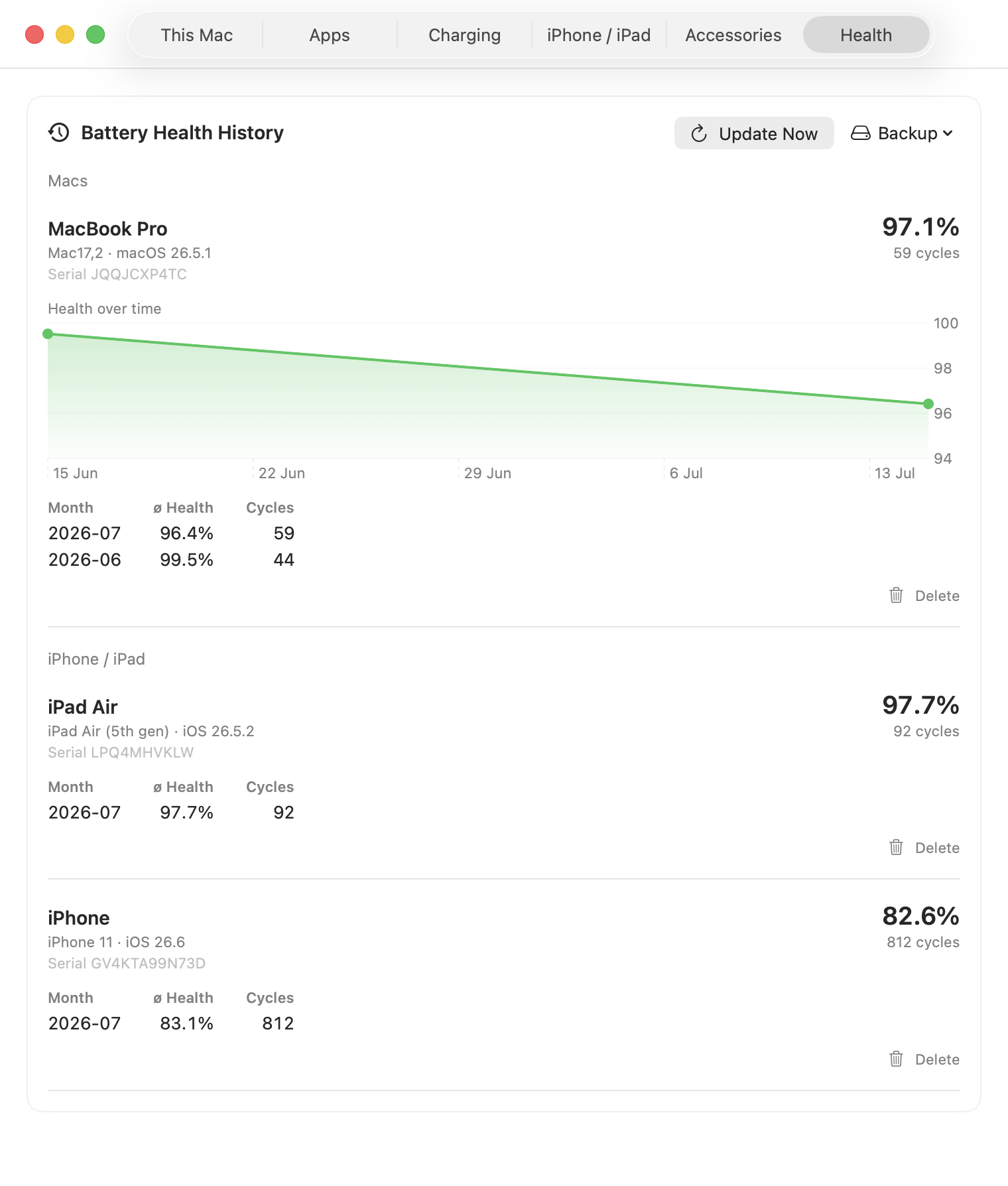
The part that took the longest is knowing when to say nothing. A battery's health figure is the fuel gauge's own revisable estimate: it holds steady for weeks, then steps when the gauge relearns the pack. Fit a line through a few of those steps and you can confidently tell someone with a nearly new battery to plan a replacement. WhatBattery tests whether a decline is statistically real before it will name anything, gives a date range rather than a single month, and stays quiet when the history cannot support a claim. It also shows macOS's own capacity figure alongside its own whenever the two disagree, rather than leaving you to wonder which is wrong.
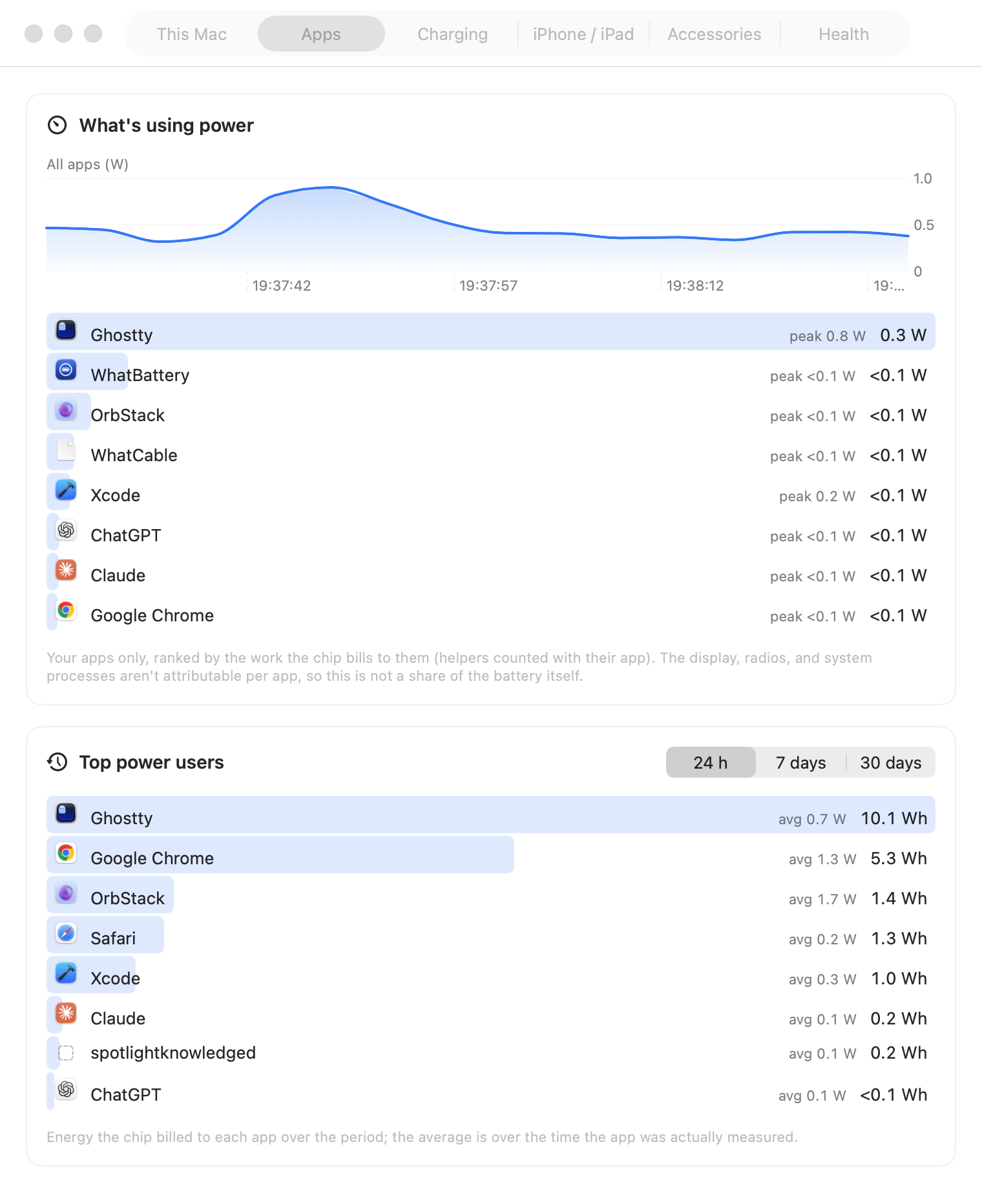
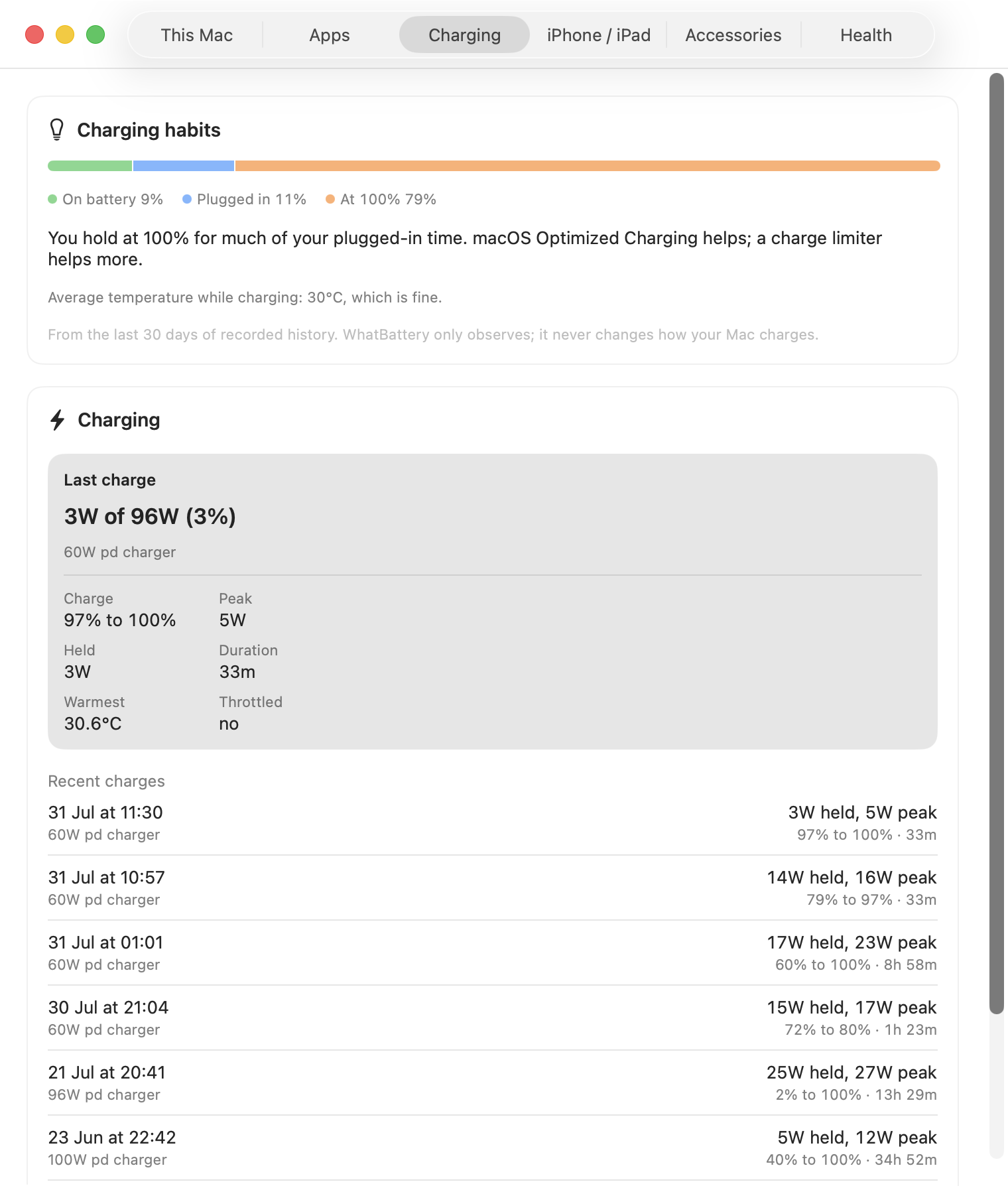
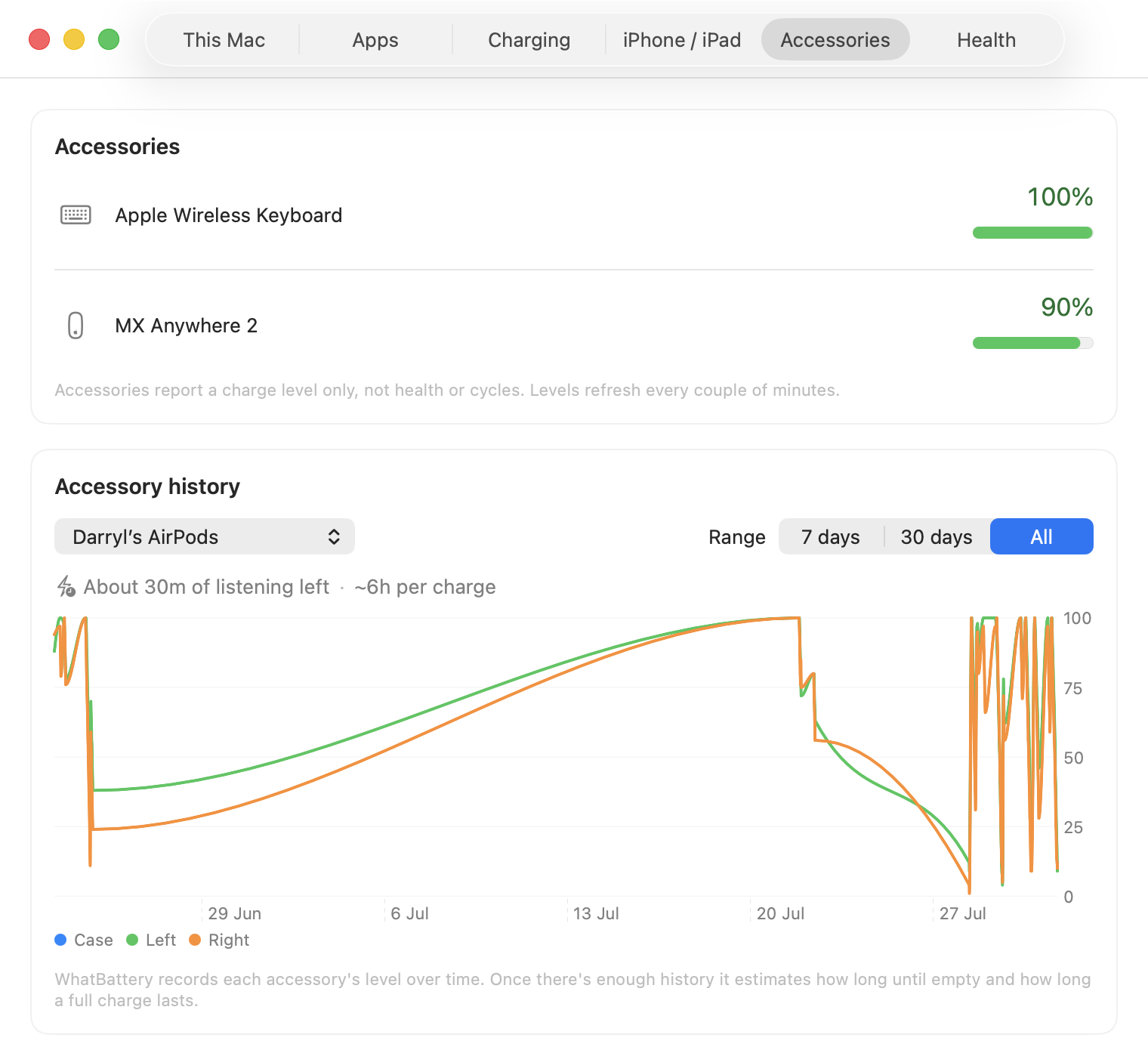
Pro adds the long-term record: health history per device across years, the replacement forecast, per-app power in real watts (from the same kernel energy counters behind Activity Monitor's Energy tab, but in units rather than a score), charging sessions with a verdict on whether your charger keeps up, per-cell voltage and pack internals the gauge keeps and macOS never surfaces, PDF and CSV export for warranty claims and resale, and alerts.
What it does not do
It is read-only and never changes how anything charges: no charge limiting, no daemon, no kernel extension, no root access. It does not invent numbers when the hardware reports nothing, and it does not claim per-app figures are a share of your battery, because the display, the radios and system processes are not attributable per app. It is not on the Mac App Store, because the sandbox blocks the low-level reads it depends on, so it ships signed and notarised outside the store.
Privacy
No tracking, no telemetry, no accounts. Battery data stays on the Mac. The one exception is opt-in and off by default: an anonymous wear comparison that sends a model identifier, a cycle count rounded down to the hundred, a health percentage and a coarse age, with no serial, no device name and nothing tied to a licence. Contributions age out after 13 months.
About the developer
Darryl is a self-taught developer based in the UK. He works in e-commerce by day and builds Mac utilities in his spare time under Bitmoor Ltd. WhatBattery joins WhatCable and WhatPort, a family of small Mac tools that explain what the hardware is actually doing.
Press kit
- App icon (1024×1024 PNG)
- Apps tab recording (animated GIF, live per-app power)
- Download WhatBattery (latest release, .zip)
- Source on GitHub


Contact
For press enquiries, a review key for Pro, or anything else: [email protected]. Bug reports are best as a GitHub issue, where they get tracked.