True battery health
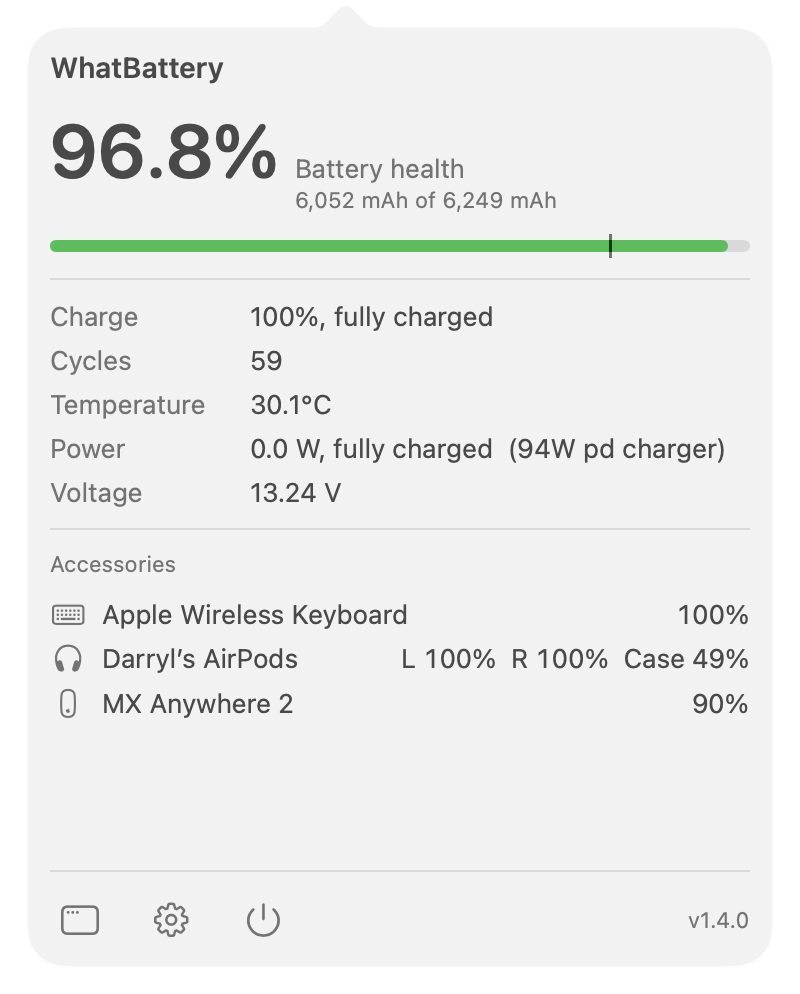
Unrounded health, raw capacity, cycle count, service condition, and the facts macOS leaves out.
Explore battery health →What's true right now, what's using the power, and how it's changing over time.
Unrounded health, raw capacity, cycle count, service condition, and the facts macOS leaves out.
Explore battery health →Watts in and out, temperature, voltage, charger details, and your own processes ranked by power.
Explore power analysis →See what happened while your Mac slept: charge lost, wake count, wake reasons in plain English, and what's holding it awake right now.
Explore sleep diagnosis →Follow health over months, see the pack's own per-cell detail, and project when the battery may reach Apple's 80% service threshold.
Explore the long view →Read the battery directly from your Mac over USB or Wi-Fi, with no device-side app.
Explore connected devices →See keyboard, mouse, trackpad, and AirPods levels free. Pro forecasts how long is left and warns you before they die.
See accessory forecasts →Create a one-page battery report or export the underlying history as CSV or JSON.
See reports and export →WhatBattery does not install a daemon, kernel extension, or charging controller. It reads Apple's battery and power interfaces, and when a value isn't available, it says so rather than guessing.
The essential Mac view is free. Pro adds history, forecasting, deeper diagnosis, and connected devices.