No power source it can't back up
If a Mac reads battery at both sleep and wake but the charge went up, that's not possible, a battery can't gain charge on its own. WhatBattery calls the power source unclear rather than naming one anyway.
The Sleep tab shows what happened while your Mac slept: charge lost, how long, and how many times it woke. Then it shows what's holding it awake right now, honestly, including when it can't be sure.
System Settings tells you the Mac slept. It doesn't tell you what happened: how much charge you lost, how long it took, or how many times something woke it. The Sleep tab's headline answers exactly that for the last sleep, then keeps the same numbers, drain, duration, wake count, and power source, for the sleeps before it.
When the readings at each end disagree, WhatBattery won't guess. A Mac that reads battery at both sleep and wake but somehow gained charge can't actually be right, a battery doesn't charge itself, so the power source shows as unclear rather than a wrong answer stated with confidence.
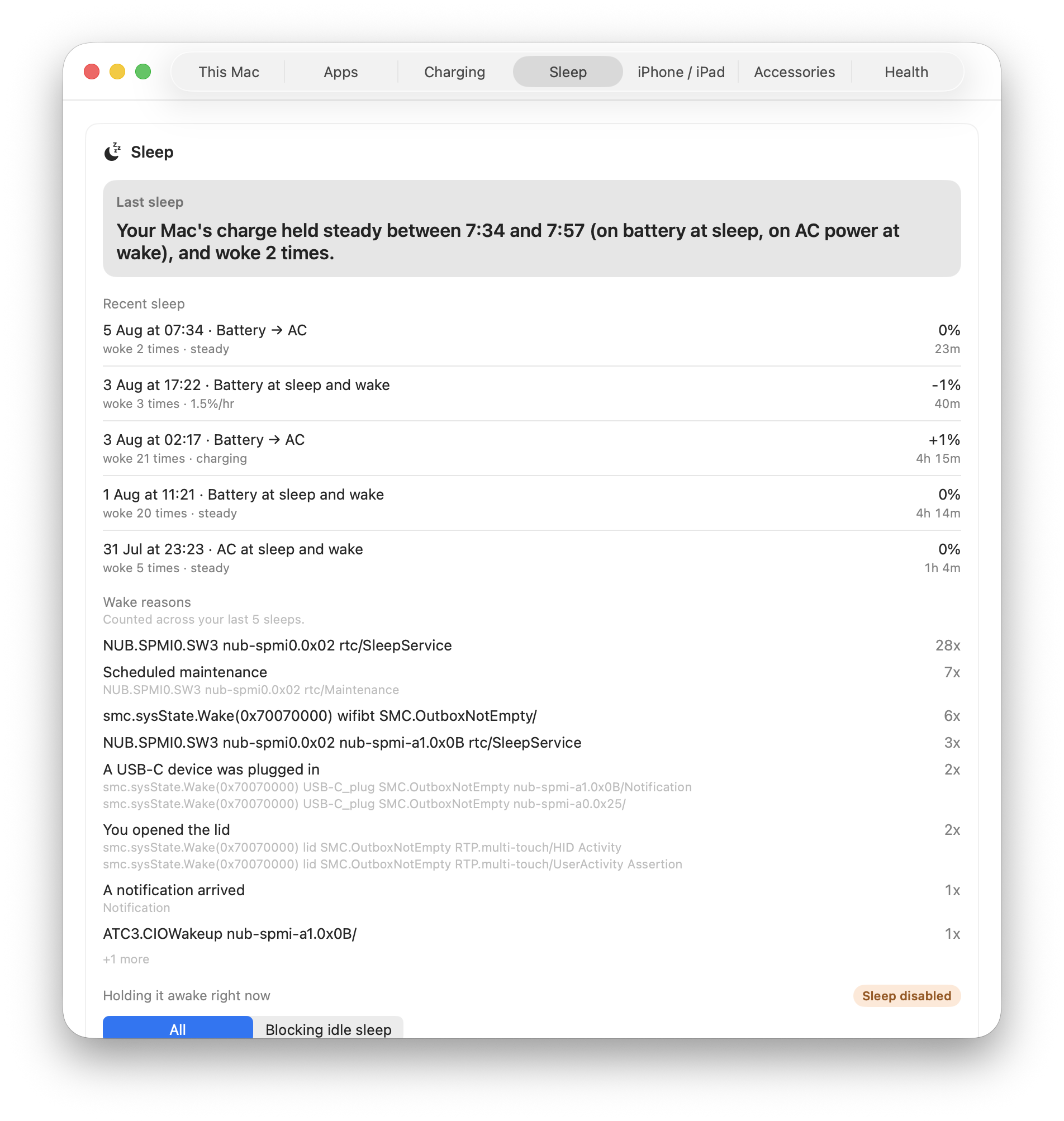
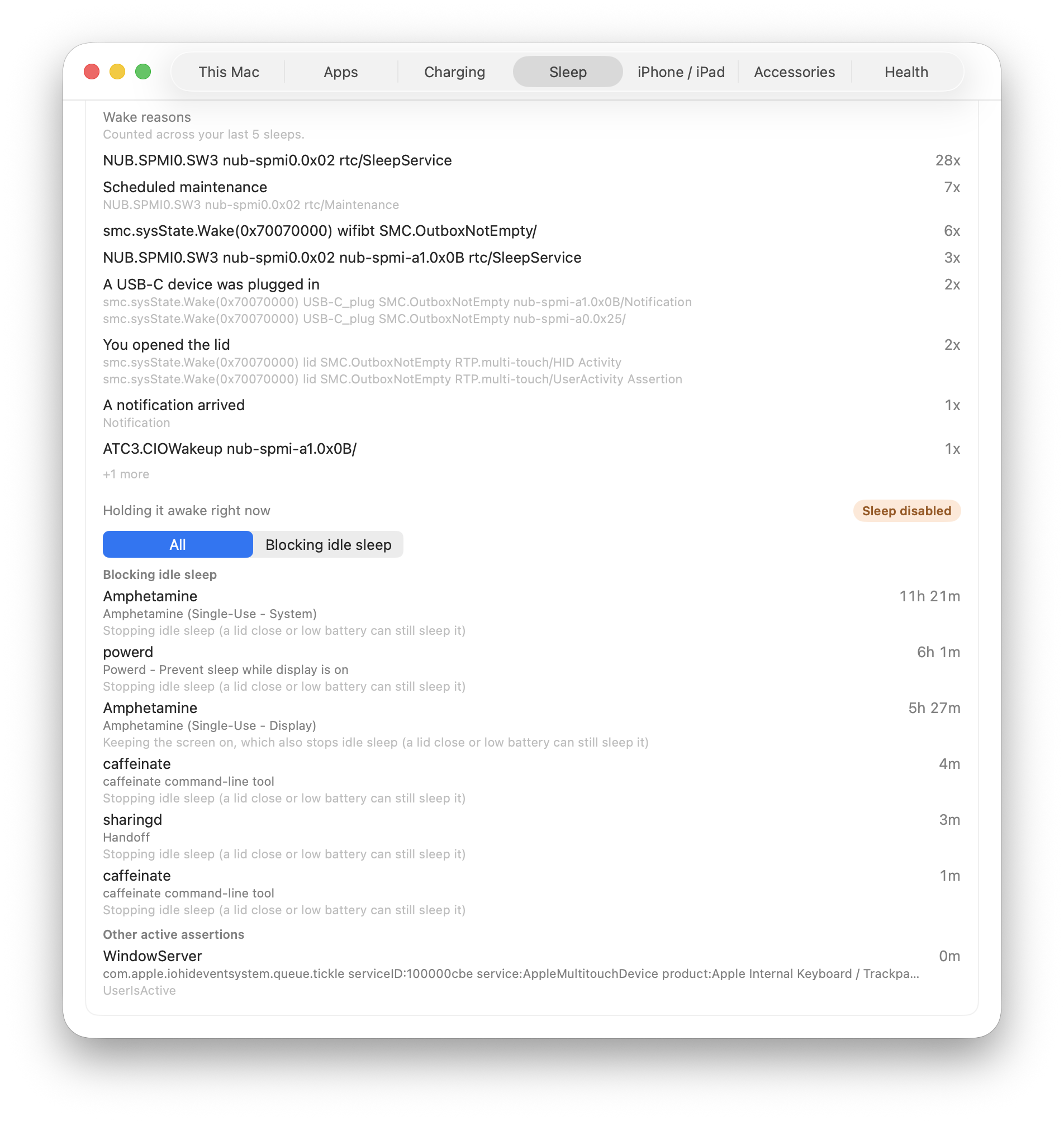
Wake reasons come out of macOS as its own internal strings: hardware paths and interrupt codes, not anything written for a person to read. WhatBattery translates the handful whose meaning is documented and unambiguous, so a reason containing “rtc/Maintenance” reads as “Scheduled maintenance”, and opening the lid, a USB-C device being plugged in, and a notification arriving each get a label of their own. It groups and counts them across recent sleeps, and the original string sits underneath every one, translated or not.
Below that, WhatBattery shows what's holding the Mac awake right now, by process, with how long each has held it, split into what's actually blocking idle sleep and what isn't, with a filter to switch between the two.
Every reading on this tab is one WhatBattery will withhold rather than guess at. It would rather tell you it can't be sure than hand you a wrong answer that looks certain.
If a Mac reads battery at both sleep and wake but the charge went up, that's not possible, a battery can't gain charge on its own. WhatBattery calls the power source unclear rather than naming one anyway.
Wake reasons are macOS's own internal strings. WhatBattery translates only the ones whose meaning is documented and unambiguous, and always shows the original underneath. It doesn't guess at the rest.
If reading what's holding the Mac awake fails, WhatBattery says the read failed. It never shows an empty list as “nothing is holding your Mac awake”, a claim about the machine that our reading can't actually support.
Sleep diagnosis, wake reasons, and what's holding your Mac awake are included in WhatBattery Pro.