macOS menu bar app

See what your battery is actually doing.

WhatBattery shows the real health, live power in and out, and the service condition for your Mac, iPhone, and iPad. Right from the menu bar. No rounding, no guessing.

Download for macOS

The app is free and open source. Pro adds history, device reading, reports, and alerts · View source

Free and open source Apple Silicon, macOS 14+ Signed and notarised
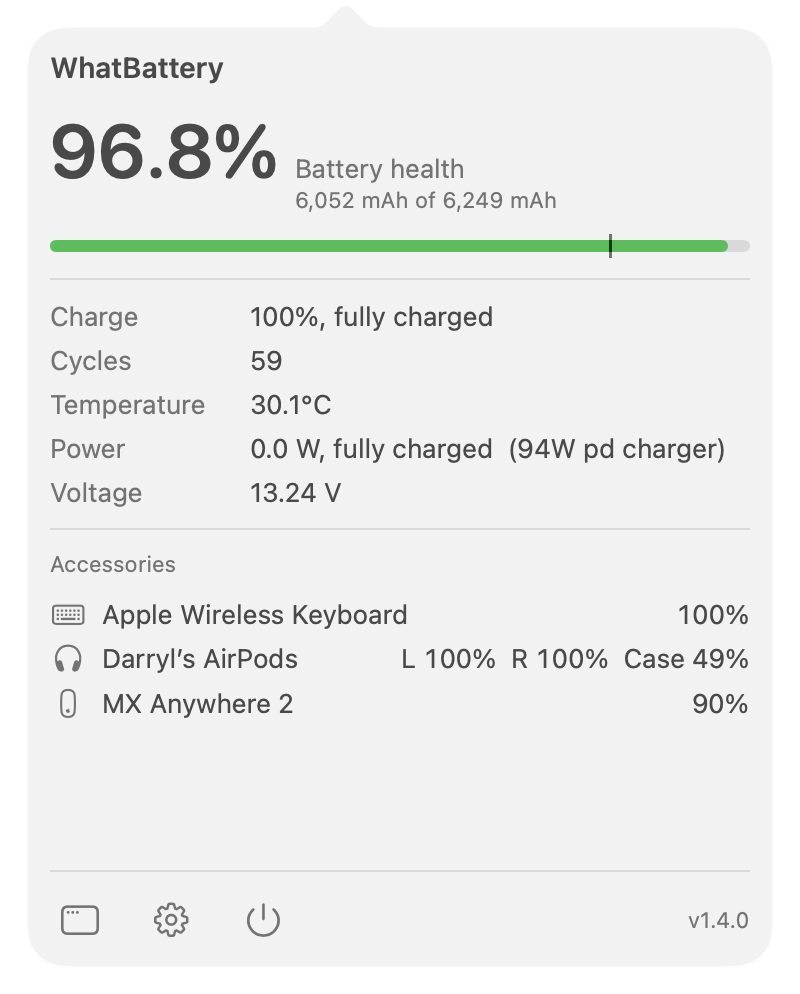
WhatBattery menu bar dropdown showing 99.6% battery health, charge, cycles, temperature, and power

macOS rounds the truth about your battery.

System Settings shows a rounded health figure and not much else. It won't tell you the real maximum capacity, the live watts going in and out, or whether the iPhone on your desk is quietly wearing out. WhatBattery does.

Is 100% really 100%?
Rounded up from 99.5%?

macOS rounds health to a whole number, so a worn battery can still read 100%. WhatBattery computes it from the raw mAh and shows it to one decimal.

How much power, right now?
Watts in, and watts out?

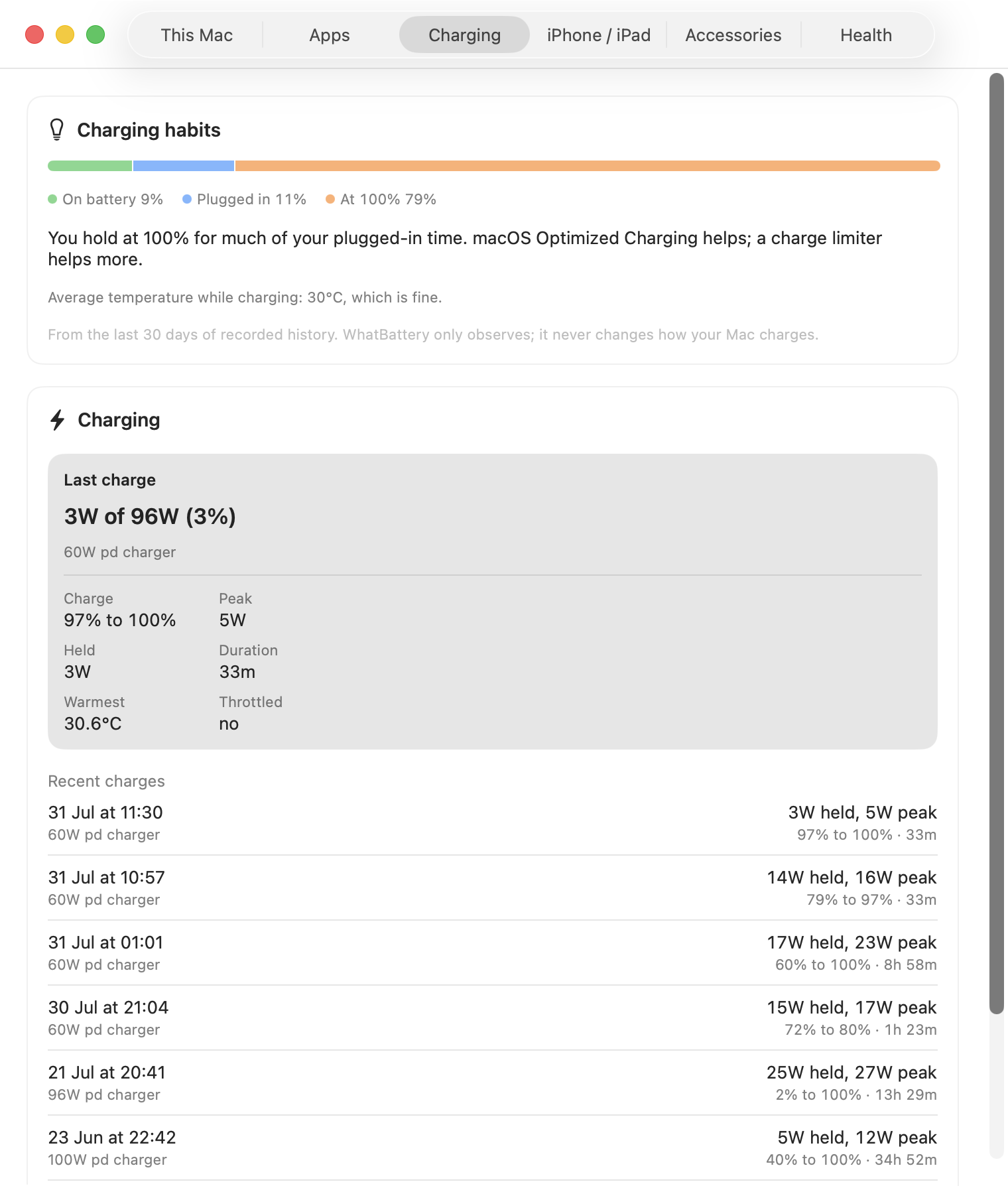
See the live charge and discharge wattage, the charger your Mac negotiated, the voltage, and the temperature, updating in real time.

What about my iPhone?
Is the phone battery worn too?

Read a connected iPhone or iPad's health and cycle count straight from your Mac, over a cable or Wi-Fi. No app on the device.

Everything your battery knows, now you know too.

WhatBattery reads from Apple's own battery and power interfaces and turns the raw numbers into something you can actually read. No terminal needed.

True battery health

The real maximum capacity and cycle count, computed from the raw mAh figures, not the rounded number macOS shows. Health to one decimal, so a worn battery can't hide as "100%".

Live power

Watts in and out in real time, the charger it negotiated, voltage, and temperature. In the menu bar and the main window.

iPhone & iPad

Read a connected iPhone or iPad's battery health and cycle count straight from your Mac, over a cable or Wi-Fi. The same data, the same health math.

Lifetime history

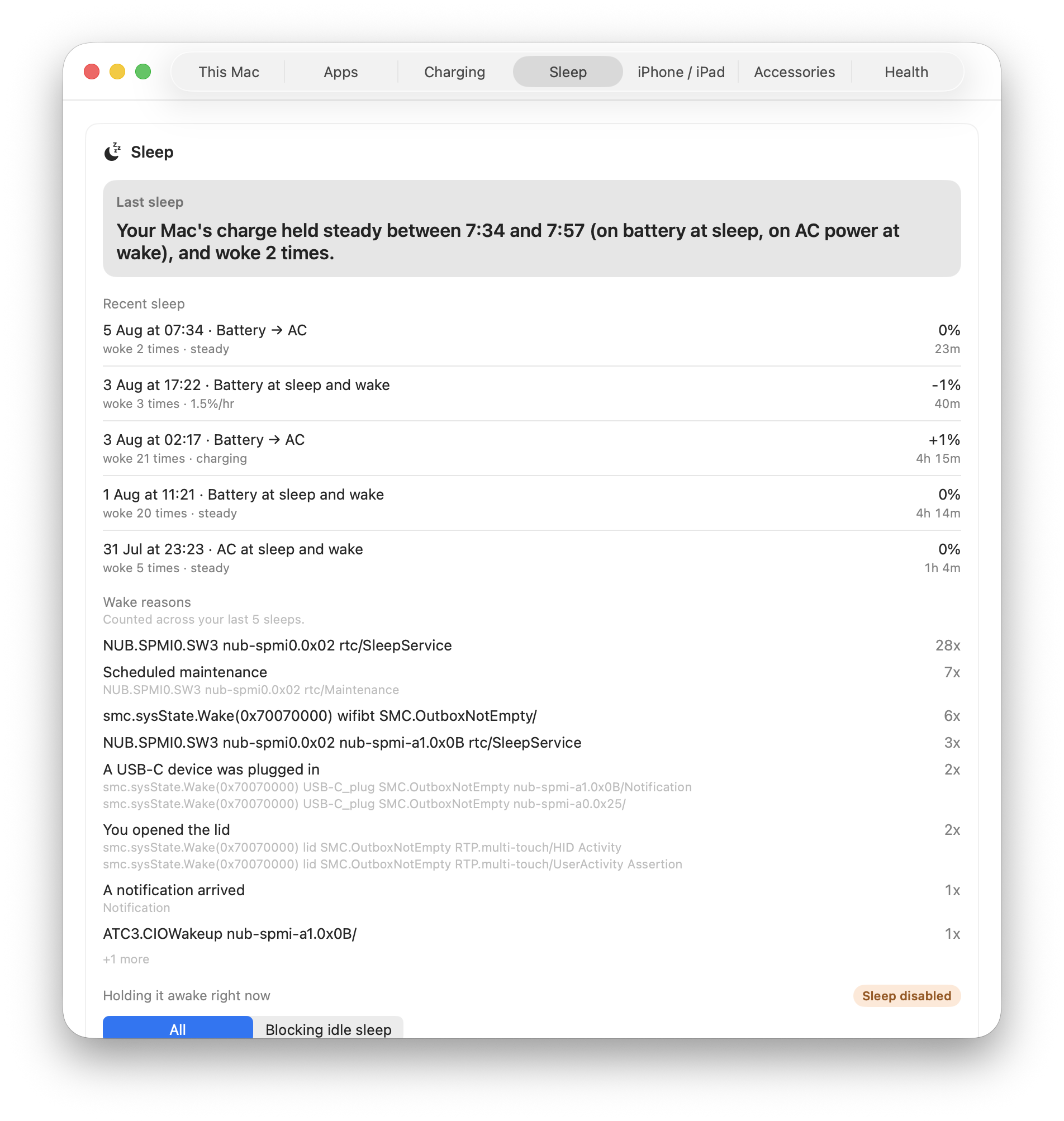
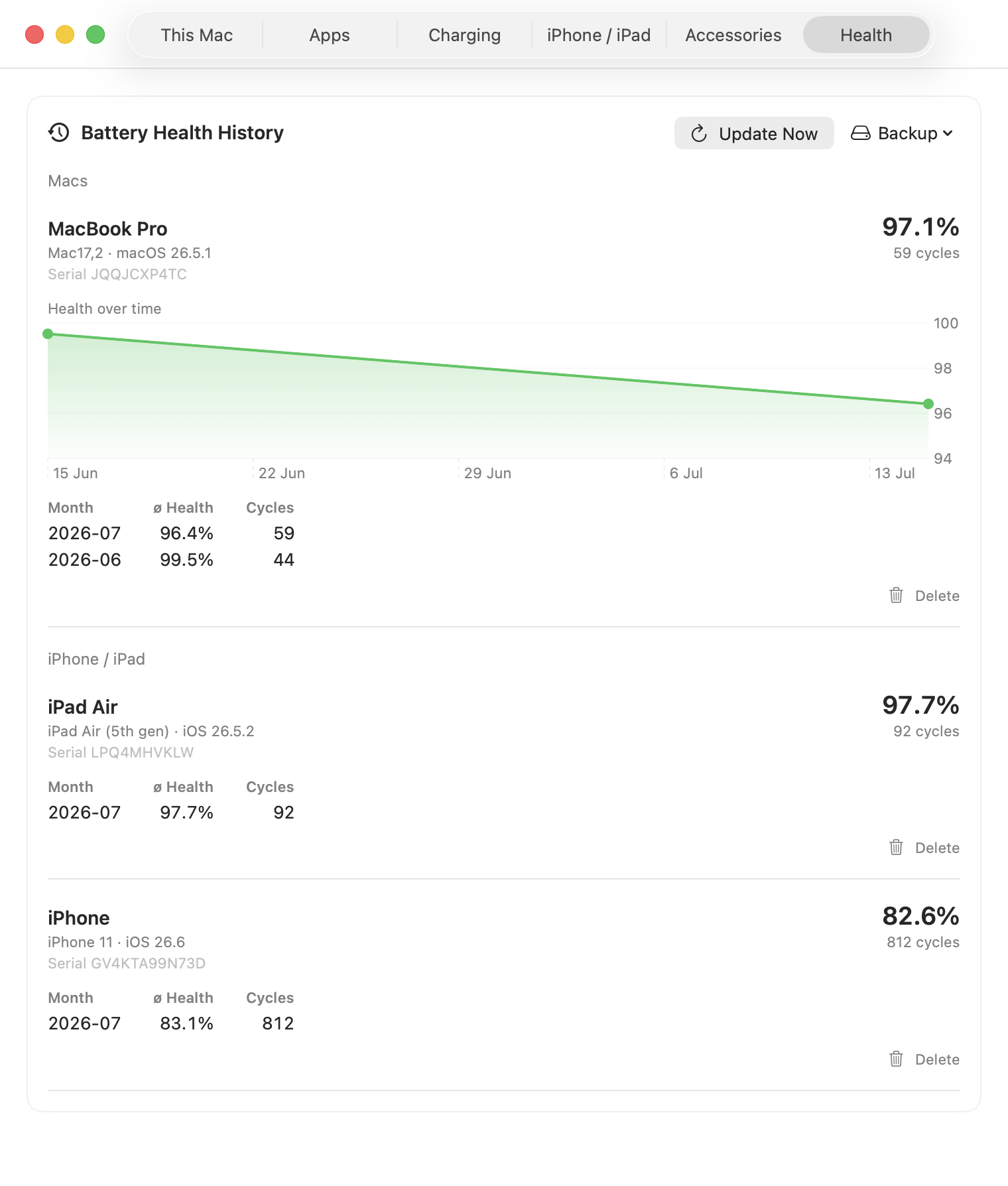
A long-term, per-device health record: monthly health and cycles over months and years, for your Mac and every device you connect, with backup and export.

Reports & export

A one-page battery report as PDF or print, and CSV / JSON export of your logged history, for warranty claims, resale, or your own records.

Service condition

The same Normal / Service Recommended condition macOS uses, read from the system, so you know when a battery actually needs attention.

Every battery you own, in one window.

Your Mac, any iPhone or iPad you connect, and a long-term record of them all. Switch between them in a tab.

WhatBattery This Mac tab showing health, condition, live power, and the Lifetime Analyzer charts
This Mac: health, condition, and the Lifetime Analyzer
WhatBattery iPhone tab showing 82.4% battery health, cycles, and a live graph
iPhone & iPad: health and live graph over the cable or Wi-Fi
WhatBattery History tab listing Mac and iPhone with monthly health and cycle counts
History: monthly health and cycles, per device, for years

Track every battery you own, for years.

The free app shows health and live power right now. Pro keeps a long-term, per-device record, reads your iPhone and iPad, and turns it all into reports you can hand to a warranty claim or a buyer.

A WhatBattery battery report PDF with current and lifetime sections
A one-page battery report, exported to PDF or printed
One-time purchase

WhatBattery Pro

£9.99 one-time  ·  works on 2 Macs
  • Lifetime history and Lifetime Analyzer, per device
  • iPhone and iPad battery health, read from your Mac
  • One-page battery reports as PDF or print
  • CSV and JSON export of your logged history
  • Threshold notifications for charge, temperature, and health
  • Works on up to 2 Macs with one key

14-day money-back guarantee, no questions asked. Apple Silicon only (M1 and later).

Secure checkout via Stripe. Your licence key is emailed instantly.

Already bought? Your key is in your email. Open Settings in the menu bar dropdown and paste it into the Licence field.

Unprivileged reads. The real numbers.

WhatBattery reads from Apple's own battery and power interfaces. Everything is read-only and unprivileged: no root, no kernel extension, no background daemon. It never changes how anything charges.

1

AppleSmartBattery

Reads the raw charge capacity, design capacity, and cycle count over IOKit, then computes health the same way Apple's own Settings does.

2

SMC power rails

Live power in and out: watts, voltage, current, and temperature, read from the System Management Controller and polled every second.

3

Device diagnostics relay

For a connected iPhone or iPad, it reads the same battery node Finder uses, over USB or Wi-Fi, with no app installed on the device.

Common questions.

Why does it show a different health number than coconutBattery?

WhatBattery computes health the same way Apple's own Settings does, from the nominal charge capacity. Some tools read a slightly different capacity field and land a couple of points lower. Neither is wrong; WhatBattery matches the number you see elsewhere in macOS.

How do I read an iPhone or iPad's battery?

Connect it with a cable and tap Trust the first time, or set it up over Wi-Fi. It then appears in the iPhone / iPad tab with the same health, cycles, and live power as a Mac. Full Wi-Fi setup steps.

Does it change how my Mac charges?

No. WhatBattery is strictly read-only. It reads battery and power data through Apple's own interfaces and never writes to the battery or changes charging behaviour.

Does it work on Intel Macs?

Not yet. WhatBattery targets Apple Silicon (M1 and later) on macOS 14 or later. Intel support is feasible later, but it is out of scope for now.

Does it phone home?

No analytics, no telemetry. It reads local battery data and nothing else. The only network call is a one-time licence check when you activate Pro. The source is on GitHub if you want to verify.

How does the two-Mac licence work?

One key activates Pro on up to two Macs. Paste the same key into Settings on each machine. Replacing a Mac? Email support and we'll free up a slot.

How is this different from WhatCable and WhatPort?

WhatCable is about cables, WhatPort is about USB-C ports. WhatBattery is about battery health and power, for your Mac and the iPhones and iPads you connect to it.

Download and go.

WhatBattery is signed, notarised, and ready to run. Requires macOS 14 (Sonoma) or later on Apple Silicon.

Download

Grab the latest .zip from GitHub Releases. Unzip and drag WhatBattery.app into Applications.

Get the latest release
Homebrew

Prefer the terminal? Install with brew and get upgrades for free.

brew install --cask \
  darrylmorley/whatbattery/whatbattery
View the tap
Read-only, never writes to your battery No kernel extension, no root MIT licensed